
Description
How to Download and Import Chint EDZ Files for EPLAN Electric P8
🚨 IMPORTANT NOTICE
Due to an issue with my PayPal account, payments via PayPal are currently unavailable.
To download the trial version of this software:
👉 Please join as a Diamond Member ($18) on my YouTube channel:
https://www.youtube.com/channel/UCbCxrrfy-brUqq2COXXreWg/join
📩 After joining, send an email to: vohauipr@vohauipr.com
I will provide you with a direct download link.
——————————————————————————
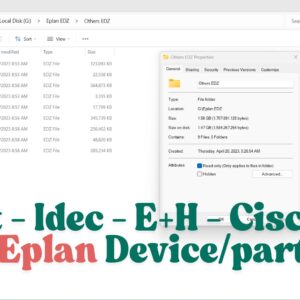
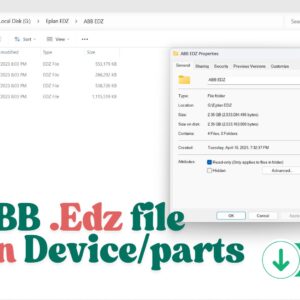
An EDZ file associated with Chint products typically serves as an electronic device description file used in industrial automation systems. EDZ files are particularly valuable in facilitating seamless integration with PLCs and SCADA systems by providing essential configuration data. This includes product specifications, communication protocols, and parameter settings for devices like circuit breakers, motor protection units, and other industrial equipment from Chint. By importing an EDZ file, automation engineers can streamline setup processes, ensuring accurate device representation in the control system, which ultimately enhances system interoperability and reduces configuration time.
How to Download and Import Chint EDZ Files for EPLAN Electric P8
In the world of industrial automation and electrical engineering, efficiency is everything. For designers using EPLAN Electric P8, having access to high-quality macros and parts data is essential for creating accurate schematics and 3D panel layouts. Chint Electric, a global leader in smart energy solutions, provides a comprehensive library of .edz files to streamline this process.
In this guide, we will explore where to find Chint edz files and how to import them into your EPLAN database to save hours of manual data entry.
Why Use Chint .edz Files?
An .edz file is a data exchange format used by EPLAN. It contains all the necessary information for a component, including:
-
Commercial Data: Part numbers, descriptions, and manufacturer info.
-
Technical Specifications: Voltage, current ratings, and connection points.
-
2D Macros: Symbols for circuit diagrams.
-
3D Macros: Detailed models for Pro Panel layout design.
By using Chint’s official data, you ensure that your Bill of Materials (BOM) is 100% accurate, reducing errors during the procurement and assembly phases.
Where to Download Chint EDZ Files
There are two primary ways to access Chint product data for EPLAN:
1. The EPLAN Data Portal
The most reliable method is through the EPLAN Data Portal. Chint has partnered with EPLAN to host thousands of low-voltage components online.
-
Open EPLAN and navigate to the Data Portal tab.
-
Search for “CHINT” in the manufacturer list.
-
Select the components you need (Circuit breakers, Contactors, Relays, etc.) and download them directly into your local parts management.
2. Chint Global Official Website
Chint often provides specialized product catalogs and software support files on their official global website. Look for the “Software” or “Download Center” section under the Low Voltage products category. You can often find zipped packages containing macros for specific product series like the Ex9 Series or NXC Contactors.
Step-by-Step: How to Import .edz Files into EPLAN
If you have downloaded a standalone .edz file from a website or received one from a supplier, follow these steps to import it:
-
Open Parts Management: Go to
Utilities>Parts>Management. -
Access the Import Tool: Click on the
[Extras]button and select Import. -
Select File Format: In the “File type” dropdown, choose EPLAN Data Portal exchange format (.edz).
-
Locate the File: Click the “…” button to browse and select your downloaded Chint file.
-
Complete the Import: Click OK. EPLAN will automatically unpack the macros, images, and parts data into their respective directories.
Summary
Integrating Chint components into your electrical designs has never been easier. By utilizing Chint edz files, you bridge the gap between design and reality, ensuring your projects are professional, accurate, and ready for production.
Are you looking for specific Chint macros? Visit the EPLAN Data Portal today or check the Chint Global download center to upgrade your parts library.

Reviews
There are no reviews yet.